
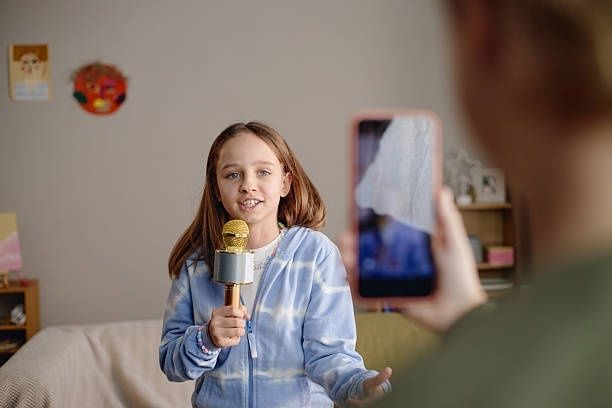
Why Your iPhone Is the Ultimate Family Storytelling Tool
An iPhone can be much more than a source of passive entertainment. With a little planning, it can become a small family podcast studio where children ask questions, listen carefully, shape ideas, and create something meaningful with the people they love. The activity changes screen time from solitary scrolling into shared work, with a clear beginning, a creative middle, and a finished recording that can be enjoyed again.
Oral storytelling gives children valuable practice with vocabulary, sentence structure, memory, expressive communication, and active listening. A child who interviews a grandparent must think about what to ask, notice the answer, decide which detail matters, and respond appropriately. The result does not need professional sound quality. Built-in tools such as Voice Memos and GarageBand are enough to create a simple, zero-cost recording studio using an iPhone already available at home. Families can also explore practical guidance on oral language and reading skills when connecting spoken language activities with literacy development.
Setting Up Your Safe and Distraction-Free iOS Recording Booth
A successful recording begins with a calm device. Before the interview, decide whether the child will use Guided Access or a dedicated Focus mode. Guided Access can temporarily keep the iPhone inside one app, which is useful when a child is recording in Voice Memos and should not accidentally open games, messages, or a browser. To enable it, open Settings, choose Accessibility, select Guided Access, and turn it on. Set a passcode that the child does not know, then open Voice Memos and triple-click the side button to begin. Menu names can vary slightly by iOS version, so check the Accessibility settings if the option is not immediately visible.
A Focus mode is more flexible when the child needs to use more than one app. Create a family recording Focus under Settings, then Focus, and allow only the people and apps needed for the session. Disable notifications from social media, games, and unrelated messaging services. Screen Time can add another layer of protection. Under Settings, select Screen Time and review App Limits, Downtime, Communication Limits, and Content and Privacy Restrictions. Also check Settings, Privacy and Security, Microphone, and confirm that only the intended recording apps have microphone access. Explain these steps to the child as privacy protection, not punishment. A child should understand when the microphone is active and who will be allowed to hear the final recording.
The physical booth can be simple. Choose the quietest room, switch off fans where practical, close windows, and place the iPhone on a stable surface rather than holding it in a hand that may create bumps and rustling. A sofa, curtains, rugs, couch cushions, or blankets can soften echoes. Do not cover the phone itself, because the microphone needs a clear path to the speakers. Place the phone roughly an arm”s length away, with the interview participants facing it. Test the setup before beginning, since a short sample can reveal traffic noise, an overly quiet voice, or an obstructed microphone.
| Tool | Best starting use | What to remember |
|---|---|---|
| Voice Memos | Quick interviews and simple recordings | Easy to start, pause, rename, and share privately |
| GarageBand | Editing, music, titles, and multiple tracks | More creative control, but requires a little practice |
| Guided Access | Keeping a child inside the recording app | Requires an adult-set passcode |
| Focus | Reducing notifications during a session | Useful when several approved apps are needed |
Crafting Questions That Unlock Multi-Generational Stories
Children often begin with broad questions such as “What was childhood like?” Those questions can produce short answers because they give the person too many possible directions. Help the child narrow the subject to a person, place, object, meal, song, celebration, or memorable day. Family heritage becomes easier to understand when it is attached to concrete details. A recipe can lead to a discussion about where a family lived, who cooked, what ingredients were available, and which relatives gathered around the table.
Good interviewers ask open questions, then allow quiet pauses. They avoid interrupting and use gentle follow-ups such as “What happened next?” or “How did that make you feel?” Frameworks used by professional oral historians can be adapted for children. The Smithsonian Folklife and Oral History Interviewing Guide encourages careful preparation, respectful listening, and questions that invite detailed personal reflection. An Authoritative Source on capturing personal and social history can provide additional context. Before recording, explain the purpose, ask permission, and remind the relative that they can skip any question or stop at any time.
Keep the first episode short, perhaps five to ten minutes. A focused conversation is less tiring for a child and less intimidating for the guest. The child can write or draw three questions on paper, but the interview should not feel like an examination. A natural follow-up is often more valuable than reading every prepared prompt in order.
- What was your home like when you were the same age as me?
- What games, songs, or activities did you enjoy after school?
- Who taught you to make a favorite family meal?
- What does that recipe smell, taste, or feel like when it is being prepared?
- Which family tradition do you hope children continue?
- What was a difficult change you experienced, and how did your family respond?
- Is there a photograph, object, place, or song that holds a special memory?
- What advice would you give to someone in the family who is growing up today?
Recording and Editing Your First Episode Step by Step
Voice Memos is the most approachable starting point. Open the app, tap the record button, and place the iPhone where both voices can be heard. Ask everyone to remain reasonably still and avoid tapping the table. After a short microphone check, play the sample back through headphones or the phone speaker. On supported iOS versions, Enhanced Recording may help reduce background noise and improve clarity. Treat it as a useful aid rather than a replacement for a quiet room, because heavy noise or distant voices cannot always be repaired.
When the conversation is complete, tap the recording name and rename it with the date, participants, and topic. For example, “2026-11-14 Grandma”s Winter Soup.” This simple habit makes a growing archive easier to search. If the family wants an edited episode, GarageBand can import the Voice Memos file. The child can trim long pauses, remove accidental bumps, add a brief royalty-free or built-in loop, and place a spoken introduction at the beginning. Keep music quiet enough that every word remains clear.
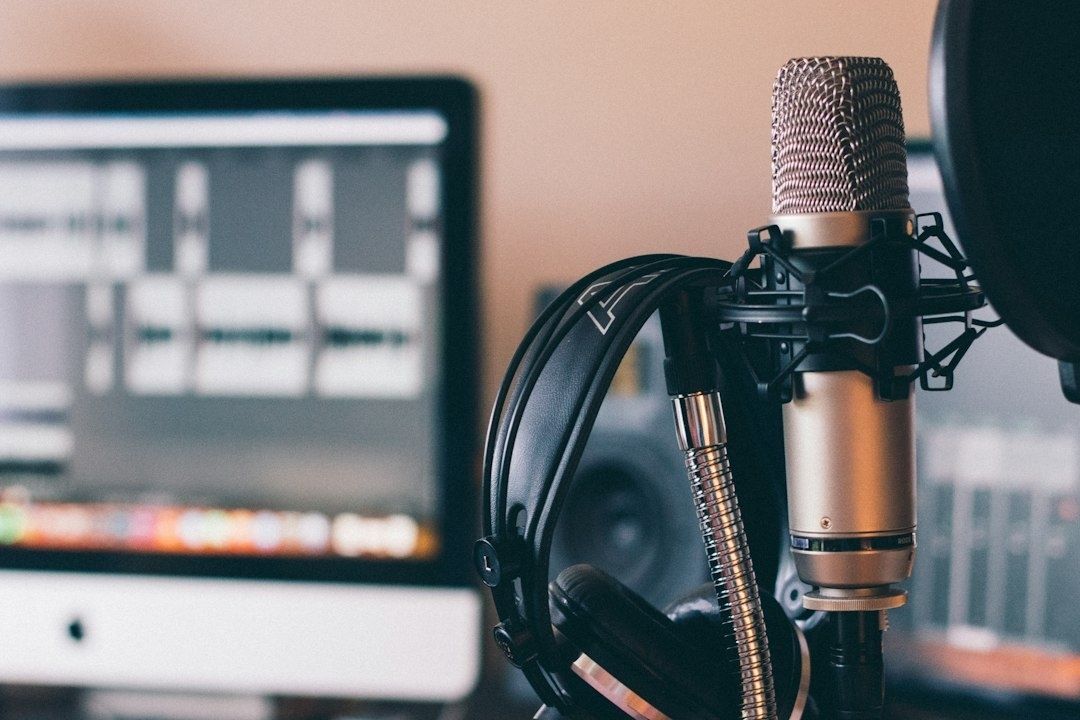
- Choose a quiet space, enable the selected Focus or Guided Access setting, and ask permission before recording.
- Record a ten-second microphone check, play it back, and adjust the phone”s position if voices sound distant or echoing.
- Start the interview, pause when needed, and use follow-up questions instead of rushing to the next prompt.
- Rename and save the Voice Memos file with a consistent date and topic format.
- Import the file into GarageBand if trimming, an introduction, or gentle background music would improve the episode.
- Listen through the entire edited version before exporting, checking names, sensitive details, volume, and accidental private comments.
- Export a final audio file and keep an untouched master recording in a private family location.
Editing should teach judgment, not erase personality. A laugh, pause, accent, or moment of searching for a word may be part of the story”s character. Ask the child to distinguish between removing a distracting interruption and changing what someone meant. If the recording includes a sensitive family subject, discuss whether it should remain private, be shared only with named relatives, or be deleted. Consent should be revisited when a child wants to share an episode beyond the household.
Preserving Family Lore and Strengthening Classroom Literacy
Repeated storytelling gives children practice organizing events in sequence, choosing precise words, explaining cause and effect, and adjusting tone for a listener. Those abilities support reading comprehension because readers also need to follow structure, interpret vocabulary, connect details, and infer meaning. The relationship works in both directions: stronger oral language supports understanding text, while reading exposes children to vocabulary and sentence patterns that can enrich spoken language. Daily opportunities to talk, listen, read, and retell can therefore form a practical bridge between family life and school learning.
A family podcast project also introduces the basic habits of historical documentation. Children learn that memories are evidence of lived experience, while also learning that memories can differ. Two relatives may describe the same event in different ways. Instead of treating one account as automatically correct, children can ask what each person remembers, what details can be checked in photographs or documents, and how perspective shapes a story. The Library of Congress oral history resources show how capturing personal and social history can support critical inquiry in educational settings.
Keep the archive private by default. A private iCloud Shared Album may be useful for related photographs and short approved clips, while full audio masters can be stored in iCloud Drive or another password-protected family location. Check sharing permissions regularly, especially when relatives use different Apple IDs. Avoid publishing a child”s voice, full name, school, location, or personal family details on a public podcast feed without informed, age-appropriate consent. A private archive can be every bit as meaningful as a public show, and it gives the family greater control over the material.
- Save an untouched master recording and a separate edited copy.
- Use dates and clear file names so future family members can identify each episode.
- Record the speaker”s preferred name and the topic, but avoid unnecessary sensitive information.
- Invite the child to write a short summary or transcript excerpt to reinforce sequencing and vocabulary.
- Review sharing permissions whenever a new relative is added to a private album or folder.
- Revisit consent before forwarding an episode, posting a clip, or using it for schoolwork.
Press Record and Begin Your Family Audio Archive Today
The first recording does not need a polished theme tune, perfect acoustics, or a clever show title. What matters is the child”s attention and the family member”s willingness to share. A five-minute conversation can preserve a voice, a phrase, a recipe, or a memory that might otherwise fade. It also gives children an active role in family life, combining technology with listening, curiosity, and respect.
This weekend, enable a distraction-free setting, place the iPhone on a cushion or table, and ask one opening question: “What is a family tradition you remember from childhood, and what would you like younger relatives to understand about it?” Record the answer, ask one natural follow-up, and save the file safely. That small episode can become the first entry in an enduring family audio archive, built one careful conversation at a time.