

Rethinking Screen Time Through Hands-On Discovery
For many families, the difficult screen-time conversation follows a familiar pattern. A tween reaches for an iPhone, a parent sees another stretch of passive scrolling, and outdoor play becomes a negotiation. The problem is not that every minute on a screen is harmful. The bigger question is what the screen is asking a child to do. An iPhone used only for entertainment can encourage sitting and repetition, while the same device used to collect evidence, test an idea, and explain a result can make screen time active and purposeful.
An iPhone is also far more than a small computer. Depending on the model, it contains motion sensors, a microphone, a barometer, a compass sensor, location tools, cameras, and other measurement systems. With the right app, those components can become a portable laboratory for questions such as: How does a swing speed up? Which part of the garden is loudest? Does air pressure change between the patio and a raised step? The goal is not to turn a tween into a professional scientist overnight. It is to create a low-friction routine in which a short period of device use leads naturally to observation, movement, discussion, and evidence.
The Science Hardware Hiding Inside Your iPhone
Several iPhone components are examples of micro-electromechanical systems, often called MEMS. These are tiny mechanical and electronic structures that detect changes in motion, pressure, sound, or direction. The accelerometer measures changes in movement and acceleration. The gyroscope detects rotation. A barometer measures air pressure, which can help estimate changes in elevation. A magnetometer senses magnetic fields and supports compass functions. The microphone converts sound waves into electrical signals that apps can analyze.
These sensors do not replace every calibrated laboratory instrument, and measurements can vary by iPhone model, case, placement, and environment. They are nevertheless powerful enough to demonstrate core scientific ideas with real data rather than imagined numbers. A classroom pendulum, a moving bicycle, a vibrating string, or a passing vehicle can all produce measurable signals. Resources such as physics lessons using phones show how built-in accelerometers can support investigations into mechanics and motion.
| iPhone component | What it detects | Backyard investigation |
|---|---|---|
| Accelerometer | Changes in linear motion and acceleration | Swing motion, bouncing, vibration, and impacts |
| Gyroscope | Rotation and angular movement | Spinning objects, turns, and orientation changes |
| Microphone | Sound pressure and frequency patterns | Noise mapping, bird calls, echoes, and pitch |
| Barometer | Air pressure | Small elevation changes and weather-related trends |
| Magnetometer | Magnetic-field strength and direction | Comparing magnets, metal objects, and compass direction |
The most important scientific habit is not simply recording a number. A tween should ask what the number means, whether the method was fair, and whether another trial produces a similar result. That makes the iPhone a tool for critical thinking. Encourage the child to write down the question, prediction, location, time, and conditions before beginning. A simple notebook, digital or paper, can turn a collection of sensor readings into a proper investigation.
Essential Free Apps for Your Backyard Field Kit
A small group of carefully chosen apps can provide a broad field kit without expensive equipment. phyphox, developed through RWTH Aachen University, offers ready-made experiments using supported sensors, including motion, pressure, sound, magnetism, and location. It can export raw and processed data in formats such as CSV, TSV, and Excel. Its interface is designed around experiments rather than social interaction, and its App Store privacy disclosure states that the developer does not collect data.
Arduino Science Journal works well for a tween who enjoys keeping an organized record of investigations. It combines phone sensors with optional external Arduino hardware and supports activities involving light, sound, movement, temperature, force, pressure, and magnetism. The listing recommends it for students aged 10 to 18 and states that the developer does not collect data. The NIOSH Sound Level Meter is especially useful for sound projects. It was developed by acoustics engineers and hearing-loss experts, and its accuracy was tested to within plus or minus 2 dBA in a NIOSH acoustics laboratory under stated testing conditions. Its listing also says that the developer does not collect app data.
Families wanting a wider visual dashboard can consider FizziQ or Physics Toolbox Sensor Suite, while remembering that privacy disclosures and feature availability differ. FizziQ supports graphs, spreadsheets, video motion tracking, and exports, but its listing indicates that location, identifiers, and usage data may be collected in ways not linked to the user. Physics Toolbox provides many sensor views, although its privacy disclosure says usage data may be collected. Review each app”s current App Store listing, age rating, permissions, and minimum iOS requirement before installation.
- Install one app first, rather than filling the phone with tools that may confuse a beginner.
- Check the app”s privacy label, age rating, developer identity, and required permissions.
- Allow microphone, location, camera, or Bluetooth access only when the planned activity needs it.
- Turn off unnecessary notifications and in-app purchases where possible.
- Test the experiment indoors before taking the phone outside.
- Decide where results will be saved, and avoid uploading images that reveal a child”s location or other children”s faces.
Three Backyard Experiments You Can Run This Weekend
Each activity below can be completed with an ordinary backyard, a few household objects, and one clearly defined question. Begin with a prediction, collect several readings, and discuss surprising results. The purpose is not to obtain a perfect professional measurement. It is to practise fair testing, careful observation, and clear explanation.
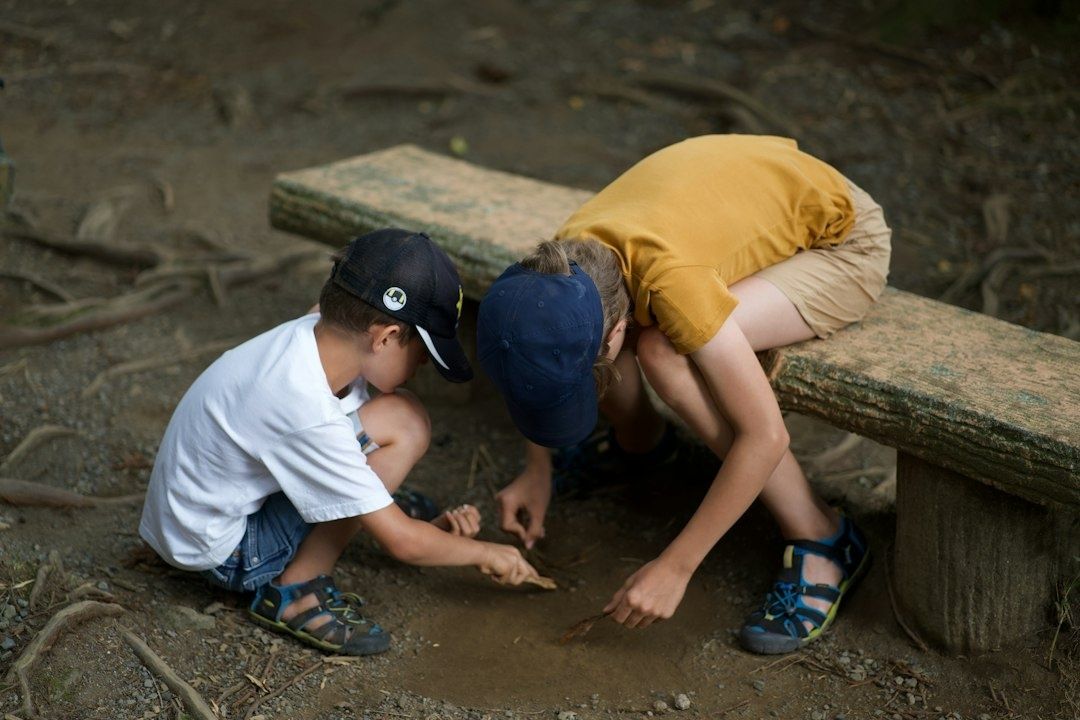
- Map the backyard soundscape. Open the NIOSH Sound Level Meter or a suitable microphone tool and choose three locations, such as the front boundary, a sheltered area near a wall, and the quietest part of the garden. At each location, stand still for the same period, such as 60 seconds, and record the average or equivalent continuous sound level when available. Note nearby traffic, wind, lawn equipment, voices, and birds. Repeat the measurements at a different time of day and compare the results. A tween can also use a frequency display in phyphox or FizziQ to look for repeating tones or broad patterns associated with bird calls, insects, or machinery.
- Investigate swing physics. Use phyphox or another motion app to explore the period of a swing or a simple pendulum. The iPhone must be secured in a robust case and attached using a purpose-built tether or a fully enclosed pouch. Never hold a loose phone while swinging it, and never attach it where it could strike a child. Begin with a gentle, low-height motion. Record the time for several complete cycles, then calculate the average period by dividing total time by the number of cycles. Compare a short string with a longer string, or compare small and larger starting angles. The accelerometer can reveal repeating changes in motion, while the child learns why repeated cycles produce more reliable timing than a single stopwatch reading.
- Explore pressure across micro-zones. If the iPhone model includes a barometer and the selected app can access it, record air pressure in two or three parts of the property. Choose locations with a genuine small height difference, such as ground level and a safe raised landing, and keep the phone still for the same amount of time at each point. Pressure differences over a backyard may be small, and weather changes can be larger than the elevation effect, so repeat the route several times and record temperature, clouds, and wind. The activity is best treated as an investigation into sensitivity and uncertainty, not as a promise that every phone will show a dramatic difference.
Give the tween a role in the process. One person can operate the app, another can time the trial, and a parent can help with notes or safety. Afterward, ask three simple questions: Which result was most repeatable? What could have affected the measurement? What would be changed in a second trial? Those questions shift attention from tapping buttons to interpreting evidence.
Outdoor Safety and Hardware Protection Guidelines
Outdoor science should remain physically safe and digitally calm. Use a shock-resistant case with a raised screen edge, but do not assume a case makes a fall harmless. A wrist strap or tether should attach to a secure case point, not block speakers, microphones, buttons, or charging ports. Keep the phone away from water, loose sand, direct heat, and situations where it could be struck by playground equipment. For motion experiments, use low forces first, inspect the attachment before every trial, and stop immediately if the device becomes hot or the child loses control.
Before heading outside, use Settings, Screen Time to limit distracting apps during the experiment. Settings, Focus can silence social alerts while still allowing calls from selected family members. For a short demonstration on a shared device, Guided Access can keep the iPhone inside one app. The exact menu names may vary slightly by iOS version, but the principles are consistent: reduce interruptions, protect privacy, and make it easy to return to normal use afterward. Do not disable emergency communication without a clear alternative. Location access should be set to the least permissive option that still supports the activity.
- Use a passcode that children know only if appropriate for the family safety plan, and keep the Apple Account password private.
- Review microphone, camera, Bluetooth, Photos, and Location permissions after installation.
- Do not photograph neighbors, visitors, house numbers, or children who have not given permission.
- Keep volume moderate, especially during sound experiments, and never place earbuds at high volume to test hearing.
- Take movement breaks between readings so the activity remains genuinely active.
- Review the results together instead of leaving a child alone to publish or share them online.
Research into youth digital habits is useful, but the supplied Checking your browser page for one peer-reviewed article does not provide the article”s findings, methods, or conclusions. It should therefore not be presented as evidence for a specific health claim. The practical principle remains sound: active, supervised technology can support movement and shared attention more effectively than passive scrolling. For broader context on digital health features and personal-data controls, families can review Apple”s health information, while remembering that health tools provide information and are not a substitute for professional medical advice.
Launch Your First Investigation Today
The most useful change is not replacing every recreational app with a science app. It is showing that an iPhone can serve more than one purpose. A tween who walks around the yard to compare sound levels, secures the device responsibly to observe a swing, or records pressure in different locations is using a screen as part of a real-world activity. The phone becomes a prompt for movement, conversation, measurement, and revision rather than an endpoint for endless scrolling.
Start with a 15-minute challenge before dinner. Install one privacy-reviewed app, choose one question, and take the phone outside with a case and a simple paper record sheet. Collect three readings, make one comparison, and ask what should be tested next. Small investigations build confidence without requiring a science kit, a perfect garden, or advanced mathematics. With clear boundaries and regular setting reviews, the backyard can become a safe place where curiosity leads the way.